


Most people used ChatGPT like a smarter search engine. Ask a question, get an answer, and move on.
It works but it leaves a surprising amount of value on the table.
Over the past few years, ChatGPT has evolved far beyond a simple chatbot. It can browse the web, analyze files, generate images, maintain memory, and even conduct realistic voice conversations. Yet many users continue to interact with it exactly as they did on day one.
The result is a gap between what ChatGPT can do and what most people actually use it for.
If you’ve ever felt that ChatGPT’s answers were generic, repetitive, or inconsistent, the problem might not be the model. It is the way you’re using it.
Here are ten features and techniques that have dramatically improved the quality of the responses I get from ChatGPT.
1. Use Code
Language models are excellent at working with language. But math ain’t language. And neither is logic.
The problem occurs when ChatGPT tries to solve problems requiring maths or reasoning using language.
While modern models are significantly better at reasoning and calculation than earlier versions, errors still happen.
Whenever accuracy matters add the following phrase in your prompt:
Use CodeHere are the above questions when asked using “Use code”
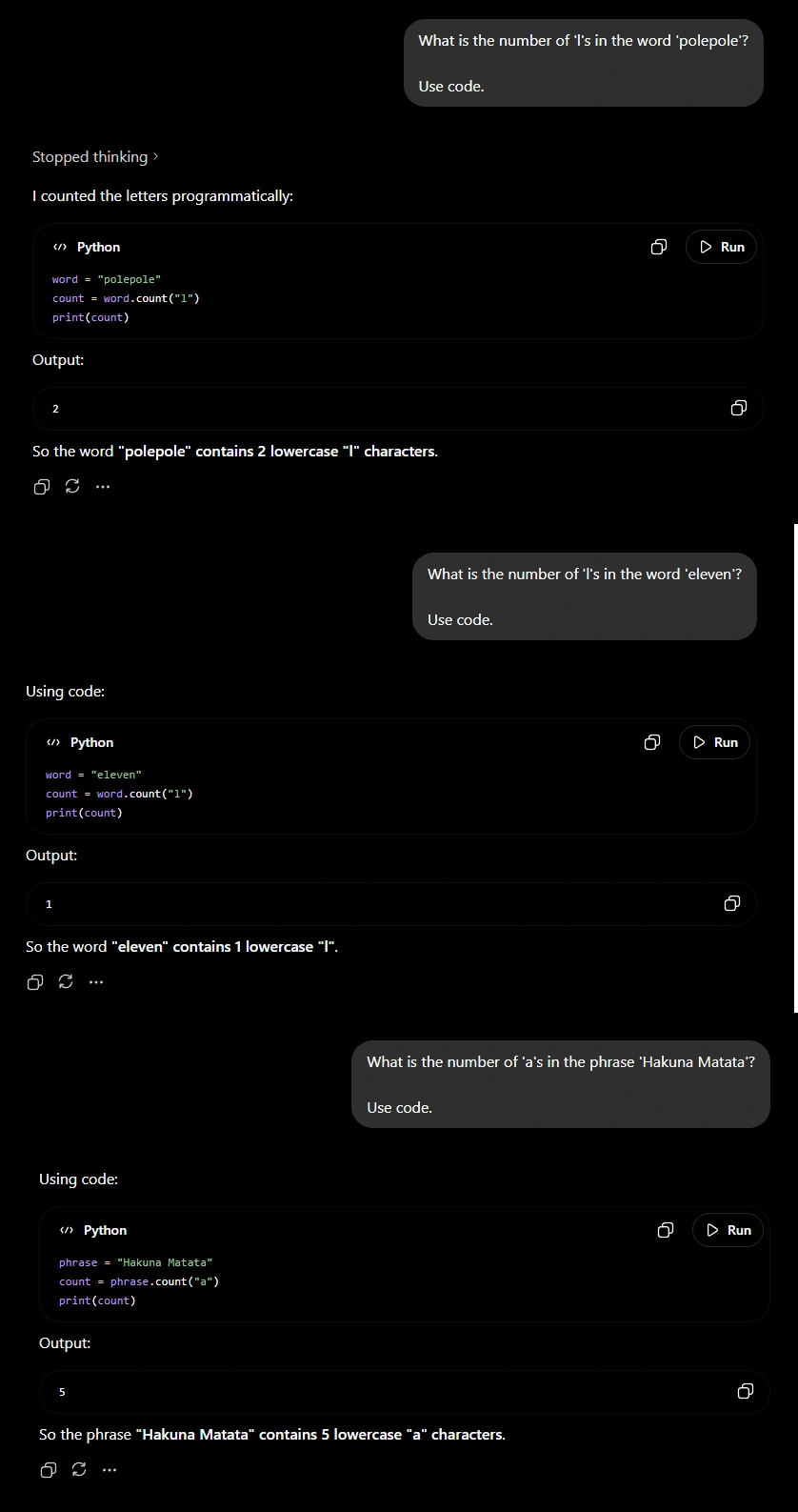
This is especially useful for financial analysis, statistics, compound interest calculations, percentage changes, data analysis, and any task where precision is important.
The difference is simple: instead of estimating the answer, the model uses code logic.
2. Asking Clarifying Questions
One of the biggest mistakes users make is assuming ChatGPT already knows enough to answer their question.
Imagine asking someone to help you write a resume without telling them your
- Experience
- Skills
- Target role
- Industry
Most people would ask follow-up questions even before giving advice. ChatGPT should be no different.
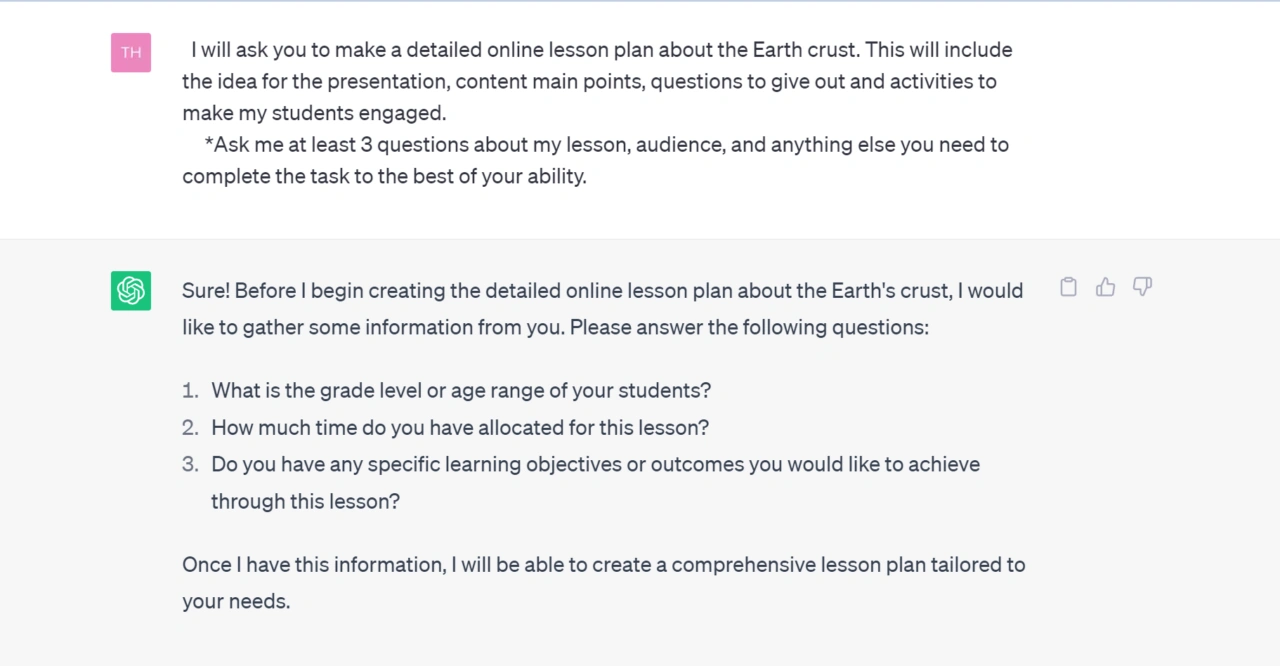
By asking the model to gather context before answering, you reduce guesswork and increase the relevance of the final response.
This becomes especially useful for tasks such as career advice, business planning, travel recommendations, content creation, and technical troubleshooting. In these situations, the quality of the output is often determined by the quality of the information available.
The few seconds spent answering clarifying questions are usually worth the significantly better result.
3. Give Examples Instead of Instructions
Many users spend several paragraphs explaining what they want when a single example would have done the job better.
If you want a LinkedIn post, provide a LinkedIn post whose style you like. Want an article? Provide a style you admire. If you want a specific tone, show the model what that tone looks like.
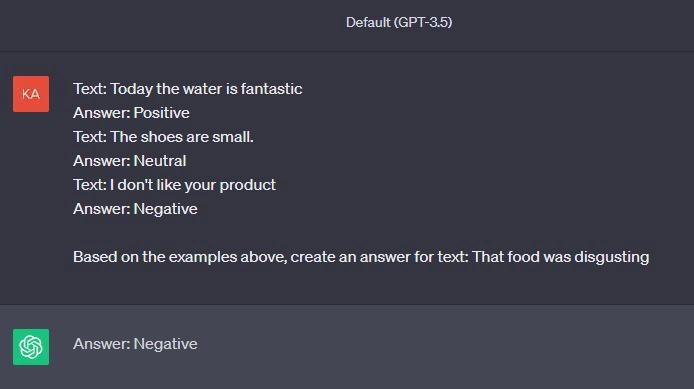
Instead of forcing ChatGPT to interpret your description of a writing style, structure, or format, you’re showing it exactly what success looks like.
This technique often produces a larger improvement in output quality than writing increasingly complicated prompts.
4. Set Up Custom Instructions
One of the most underrated features in ChatGPT is Custom Instructions.
Think about how often you repeat the same information.
- Your profession.
- Your writing preferences.
- Your preferred response style.
- Your level of expertise.
Without Custom Instructions, ChatGPT starts every conversation as if it’s meeting you for the first time.
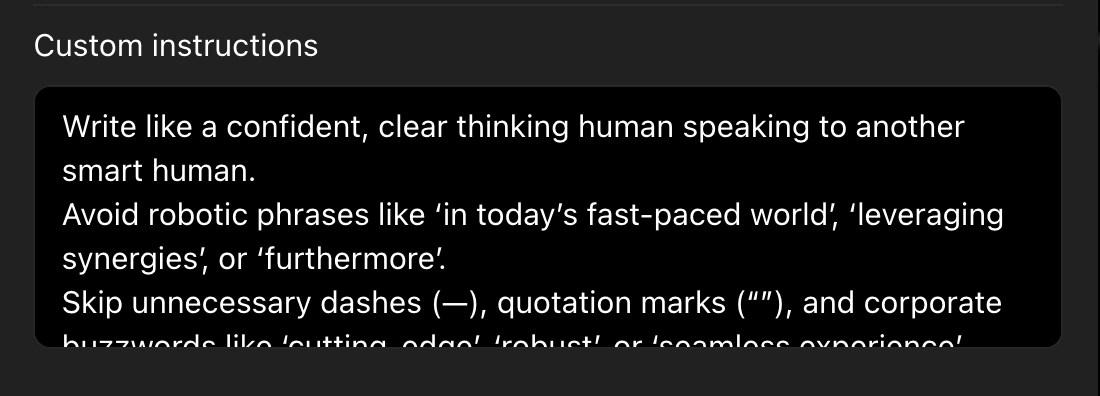
With Custom Instructions, the model begins each conversation with a baseline understanding of who you are and how you prefer to work.
This reduces repetition and creates a more consistent experience across conversations.
For frequent users, this feature can save an enormous amount of time.
5. Use Memory Deliberately
Memory and Custom Instructions complement each other.
Custom Instructions tell ChatGPT how to interact with you. Memory helps it remember relevant details over time.
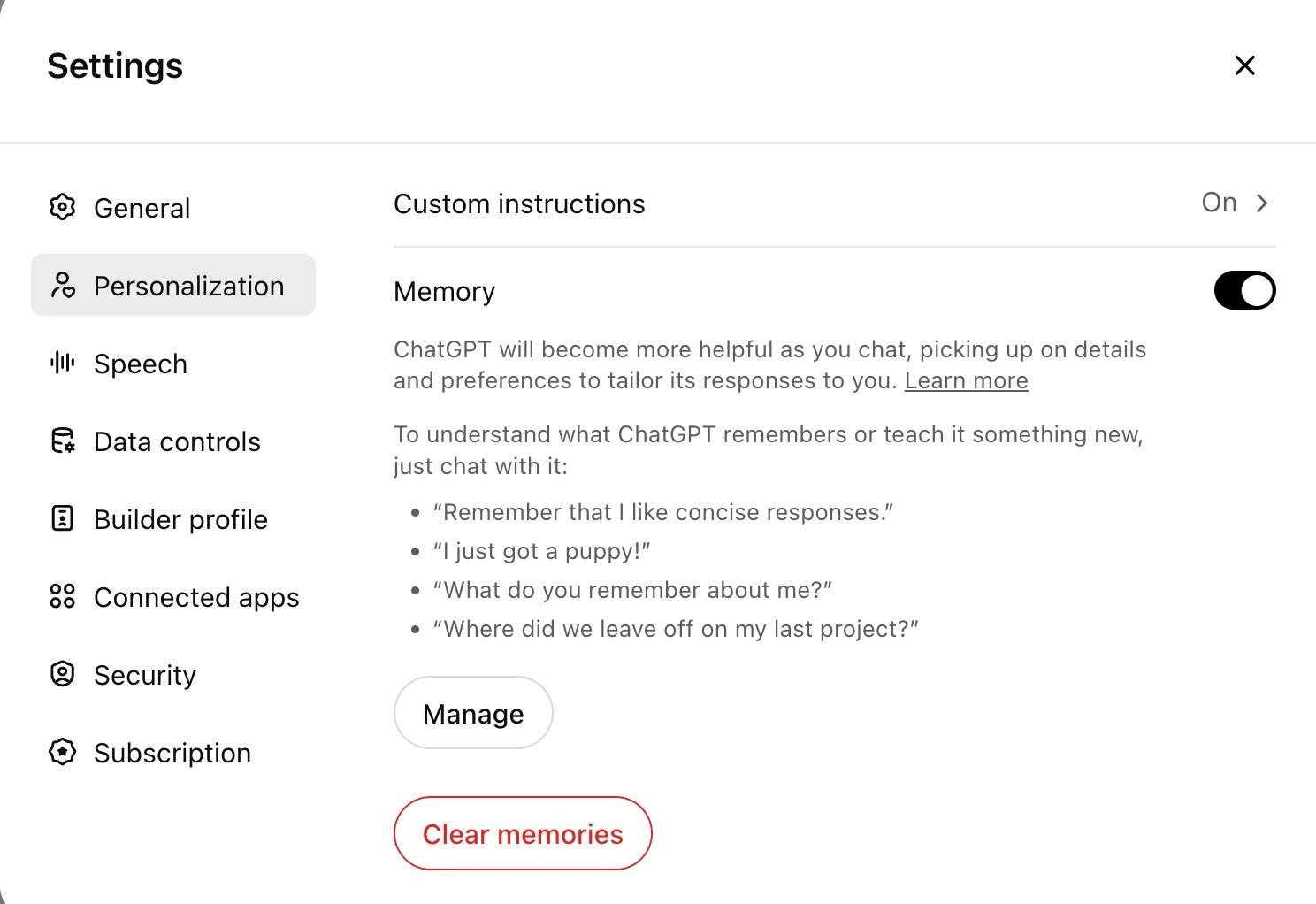
The key word here is relevant.
Useful memories include long-term projects, career goals, writing preferences, recurring workflows, and personal preferences that consistently improve future interactions.
The best results come from treating memory like a curated workspace rather than a storage closet.
When managed properly, memory transforms ChatGPT from a tool you repeatedly train into one that gradually adapts to the way you work.
Tips: To understand how well ChatGPT understands you, use the following prompt:
"What can you say about me based on our previous interactions?"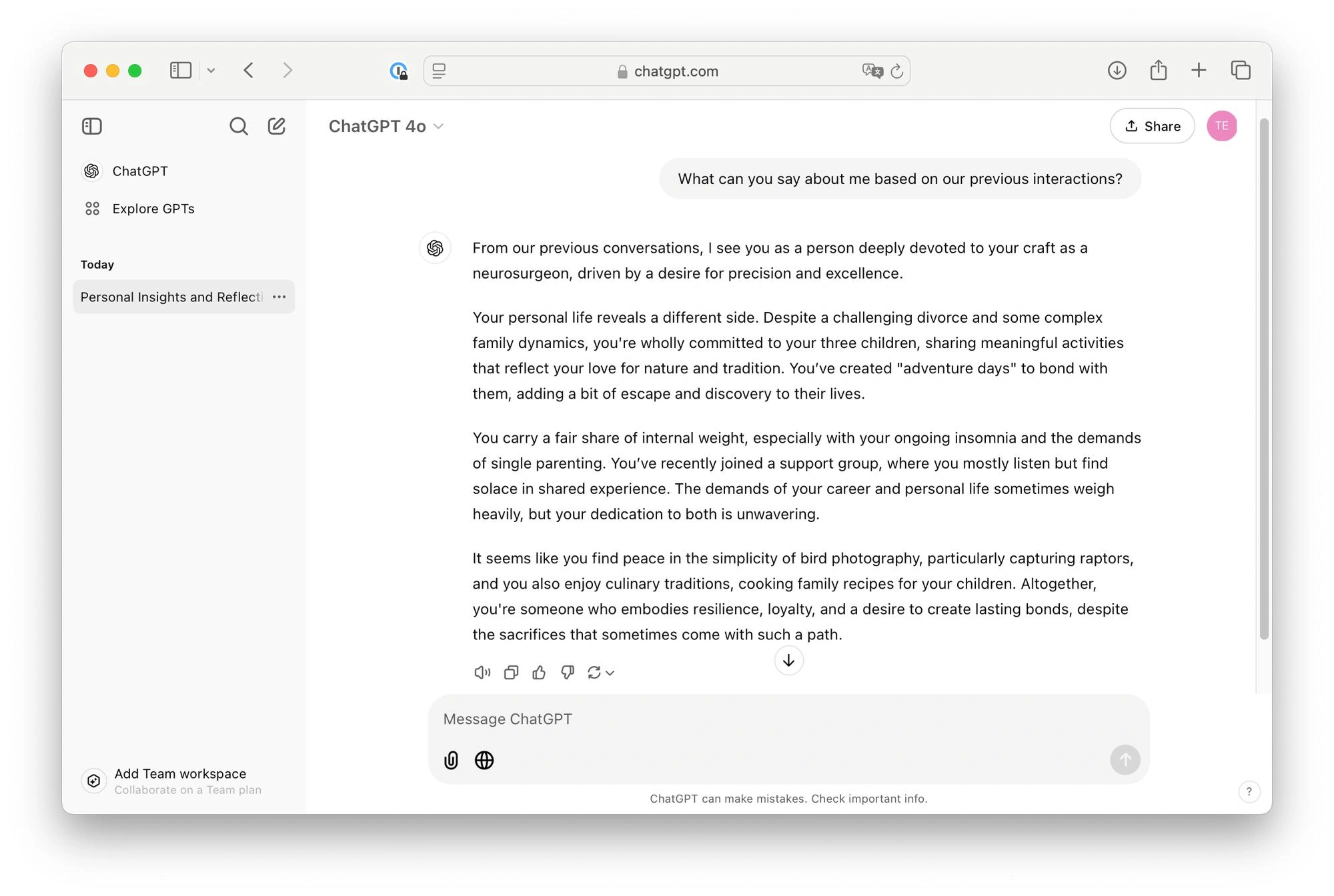
6. Create Dedicated Projects
Most users have dozens of disconnected conversations spread across their chat history.
- A job search in one chat.
- A side project in another.
- Research notes somewhere else.
Projects solve this problem by creating dedicated workspaces for specific goals.
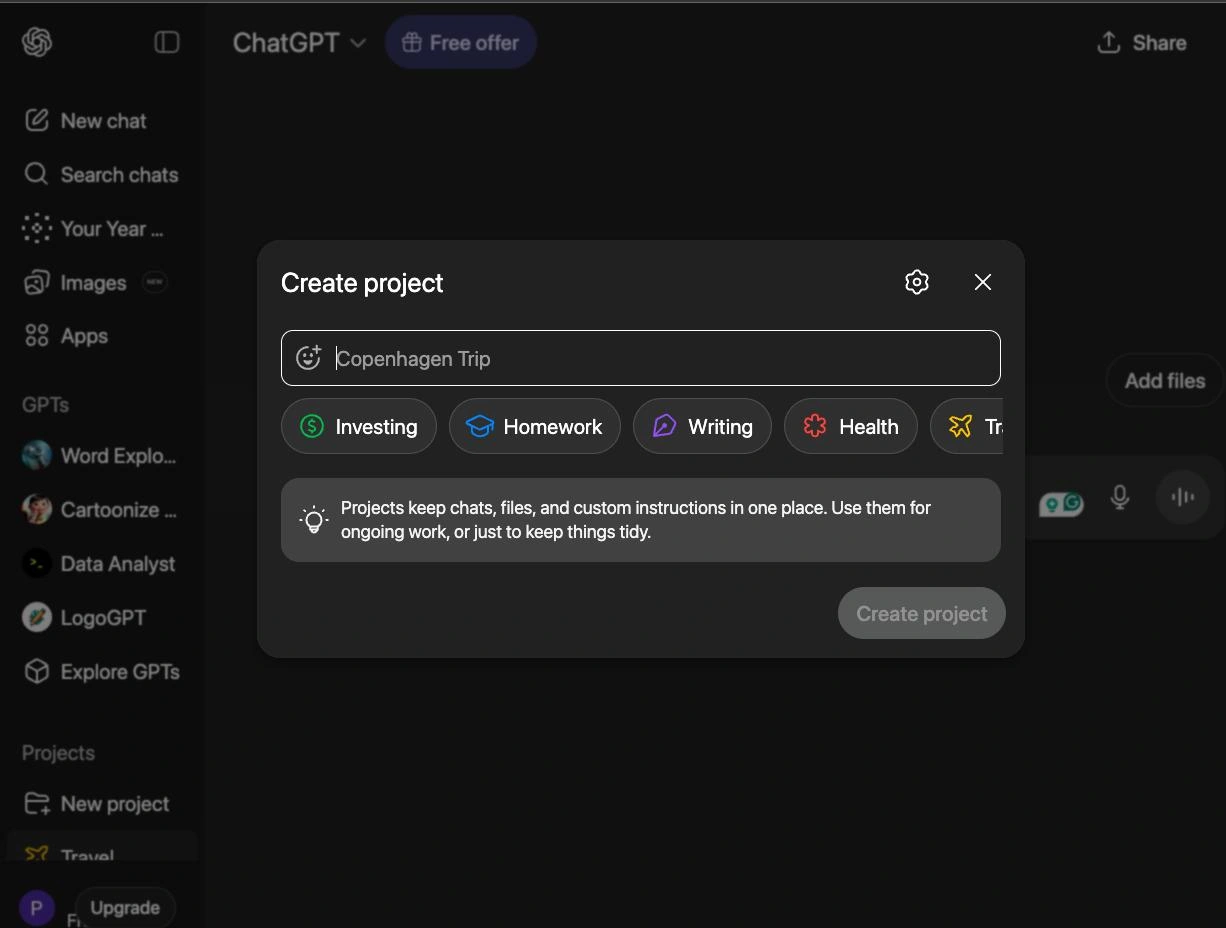
Instead of scattering information across unrelated chats, you can keep conversations, files, instructions, and context organized around a single objective.
The result is less repetition, better continuity, and a significantly more organized workflow.
Whether you’re preparing for interviews, writing content, conducting research, or building software, Projects help maintain context that would otherwise be lost.
7. Upload Files Instead of Describing Them
Many people spend several minutes explaining what’s inside a document.
In most cases, it’s faster and more accurate to simply upload the document itself.
Whether it’s a resume, research paper, spreadsheet, presentation, or contract, providing the source material allows ChatGPT to work directly from the information rather than relying on your summary.
This reduces misunderstandings and improves the quality of analysis.
Whenever possible, let the model read the material instead of describing it manually.
Many users never move beyond text conversations.
That’s like buying a smartphone and only using it for phone calls.
Here’s the key to unlocking all that potential. Use this phrase at the end of your message:
Use ToolsThis allows the model to access any and all tools that are at its disposal (Web, Code, Search, Image, Audio, Thinking etc.).
User
  ↓
LLM
  ↓
Tool (Web, Code, Search, Image, etc.)
  ↓
LLM
  ↓
Response
This in turn leads to a far superior quality of response. This is especially if you own the Plus subscription for ChatGPT.
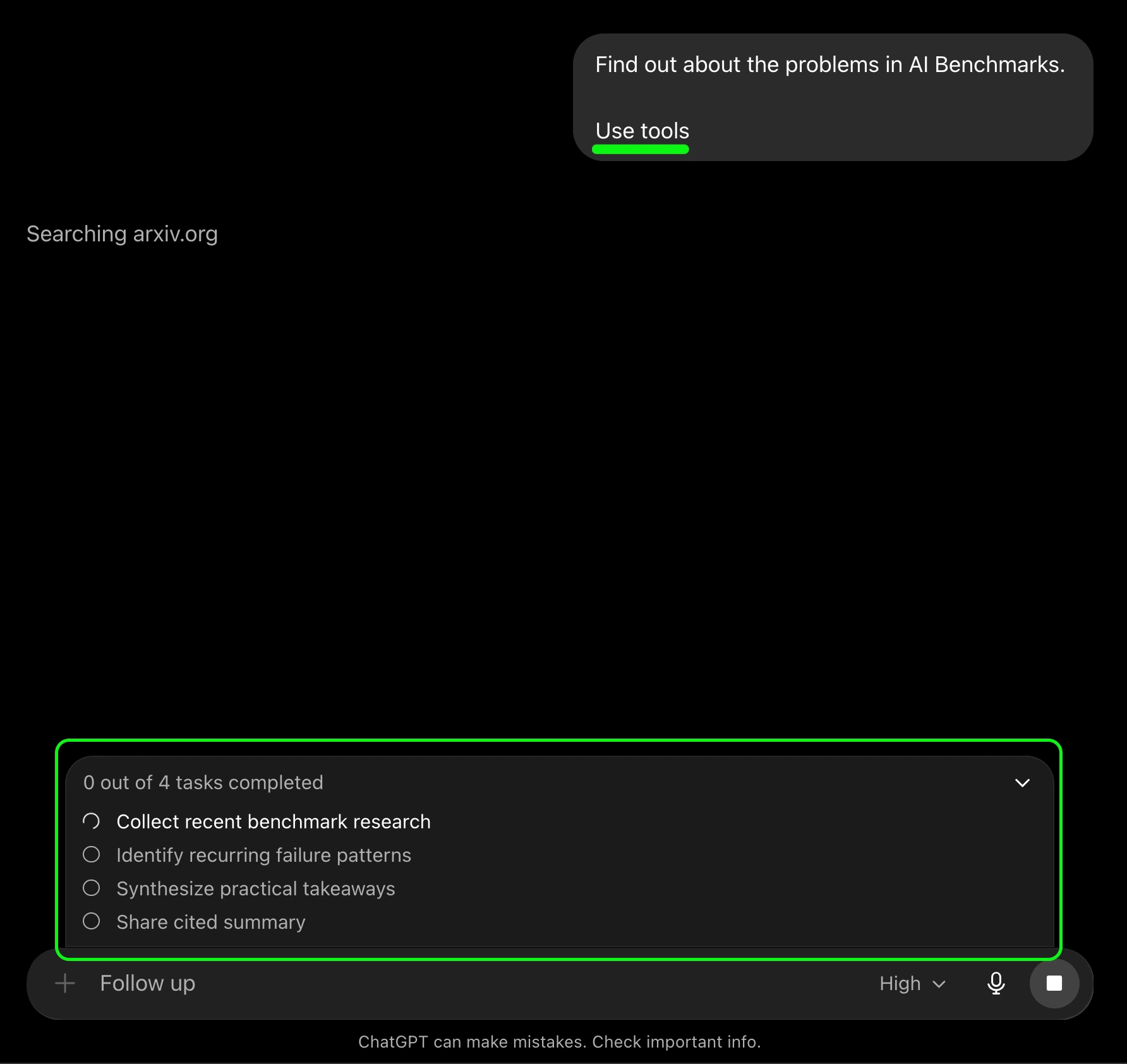
The biggest productivity gains often come from combining multiple tools together.
9. Use Voice Mode for Interview Preparation
Interview preparation is one of the best use cases for Voice Mode.
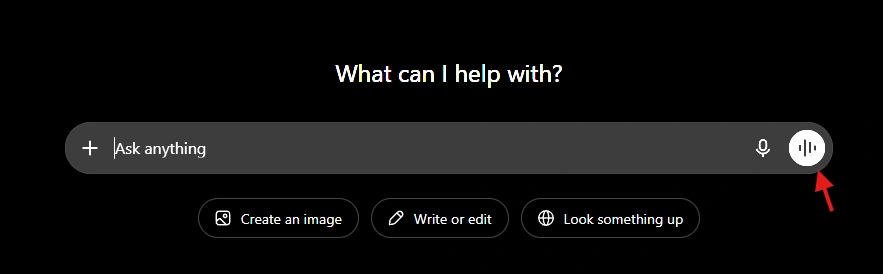
Typing answers and speaking answers are very different skills.
Most candidates discover this the moment they enter an actual interview.

Voice Mode allows you to simulate realistic interview scenarios, answer questions aloud, receive feedback, and practice communication skills in a low-pressure environment.
This is particularly useful for behavioral interviews, technical interviews, presentations, and public speaking preparation.
The experience feels much closer to a real conversation than a traditional text chat.
10. Make ChatGPT Critique Its Own Answers
Most users stop after the first response. They take the answer for its face value, and call it a day.
But you might see that sometimes the answer isn’t satisfactory. Other times it is completely unrelated to your task. In such cases what comes in handy is the following prompt/phrase:
Ask clarifying questions if necessary.
This is one of the most effective techniques I’ve found is asking ChatGPT!
Every answer contains assumptions, limitations, and potential blind spots. By forcing the model to identify them, you often uncover weaknesses that would have otherwise gone unnoticed.
This is particularly valuable when making decisions, evaluating arguments, writing articles, or comparing alternatives.
- The first answer is often good.
- The second answer is frequently better.
- The third answer is where the interesting insights start to appear.
Final Thoughts
The biggest misconception about ChatGPT is
It’s an AI chatbot
Which isn’t false necessarily, but it would be limiting its actual potential.
The quality of the results you get using ChatGPT depends largely on whether:
- You’re using one tool or the entire toolbox.
- Asking clarifying questions
- Providing examples
- Using memory
- Uploading files
- Executing code
- Practicing with voice conversations
- Challenging its own assumptions
Individually, each technique provides a small improvement.
Together, they fundamentally change the way ChatGPT fits into your workflow.

I specialize in reviewing and refining AI-driven research, technical documentation, and content related to emerging AI technologies. My experience spans AI model training, data analysis, and information retrieval, allowing me to craft content that is both technically accurate and accessible.
Login to continue reading and enjoy expert-curated content.

💸 Earn Instantly With This Task
No fees, no waiting — your earnings could be 1 click away.
Start Earning
