


Teams across companies lose meeting notes and action items after discussions. This guide builds a lasting fix: an AI Meeting Summarizer and Action Planner using Claude Code with MCP. It processes transcripts into structured summaries with tasks, decisions, and calendar invites, connects to Google Calendar and Gmail, and stores everything in SQLite.
MCP acts as a universal adapter between Claude and external systems, keeping integrations consistent. In this article, you’ll learn how to build and run this integrated workflow end to end.
What Is the Model Context Protocol (MCP)?
The Model Context Protocol (MCP) enables Claude to interact with external systems through its standardized schema-based interface which functions as an open standard. The MCP system provides Claude with a reliable method to access services through its dedicated tool-calling interface which functions as an open standard.
The project uses MCP as its main framework. Claude accesses Google Calendar and Gmail functions through MCP tools that provide access to those services. The system maintains clean agent logic which developers can easily test and replace. You need to change the MCP server when you want to switch from Gmail to Outlook, but you do not need to modify agent code.
| MCP Concept | What It Does | Example in This Project |
|---|---|---|
| tools/list | Discover available tools at runtime | Agent discovers create_event, send_email |
| tools/call | Invoke a tool with structured JSON input | Claude calls create_event with title and time |
| inputSchema | Validates all inputs before execution | Prevents malformed calendar entries |
| tool_result | Returns structured output back to Claude | Returns event ID after calendar creation |
| isError | Signals tool-level failures gracefully | Returns isError: true on API rate limit |
Agent Architecture
The Meeting Summarizer and Planner Agent will follow a multi-stage pipeline. Each stage is isolated in the environment, it can fail, retry, or be skipped independently. This is what makes it production-grade rather than just for demo purpose.
| Stage | Component | Responsibility |
|---|---|---|
| Ingest | Transcript Loader | Load .txt/.vtt/.json transcript, normalize to plain text |
| Analyse | Claude (LLM) | Extract summary, decisions, owners, deadlines via prompt |
| Validate | Schema Validator | Confirm output matches expected JSON structure |
| Persist | SQLite Store | Write meeting record, action items, decisions to DB |
| Dispatch | MCP Tool Wrapper | Call Calendar MCP to create events, Gmail MCP to send recap |
| Confirm | Result Auditor | Verify tool calls succeeded; queue retries for failures |
Getting Started
The system uses Claude Code as its AI agent which operates through a terminal interface. The MCP servers enable Claude Code to interact with external systems by acting as its controlling mechanisms. You connect Google Calendar and Gmail as MCP servers once. After that, every session, Claude Code can call them just by you asking in plain English, no API wrappers, no async loops, no tool dispatch code.
The system enables Claude Code to access more than 300 external tools through its MCP connection. The system enables you to issue commands such as “Create Gmail drafts inviting users to a feedback session” after which it handles all remaining tasks. Follow the simple steps below and you’ll have a whole agent working in no time:
Step 1: Install Claude Code
npm install -g @anthropic-ai/claude-code
claude --version   # confirm install
claude         # launch your first session
You will enter an interactive terminal session after you complete the login process. This agent shell allows you to send messages which will be transformed into prompts for Claude. The system provides access to all slash commands and MCP tools through this interface.
Step 2: Set Up the Project Folder
Create a dedicated folder for the project. The project uses a CLAUDE.md file which resides at the project root to serve as Claude Code’s permanent memory and instruction base. This location serves as the point where you provide all project information to Claude which needs to be known for future reference.
mkdir meeting-agent && cd meeting-agent

# Create the folder structure
mkdir -p transcripts summaries .claude/commands

# Open Claude Code in this project
claude
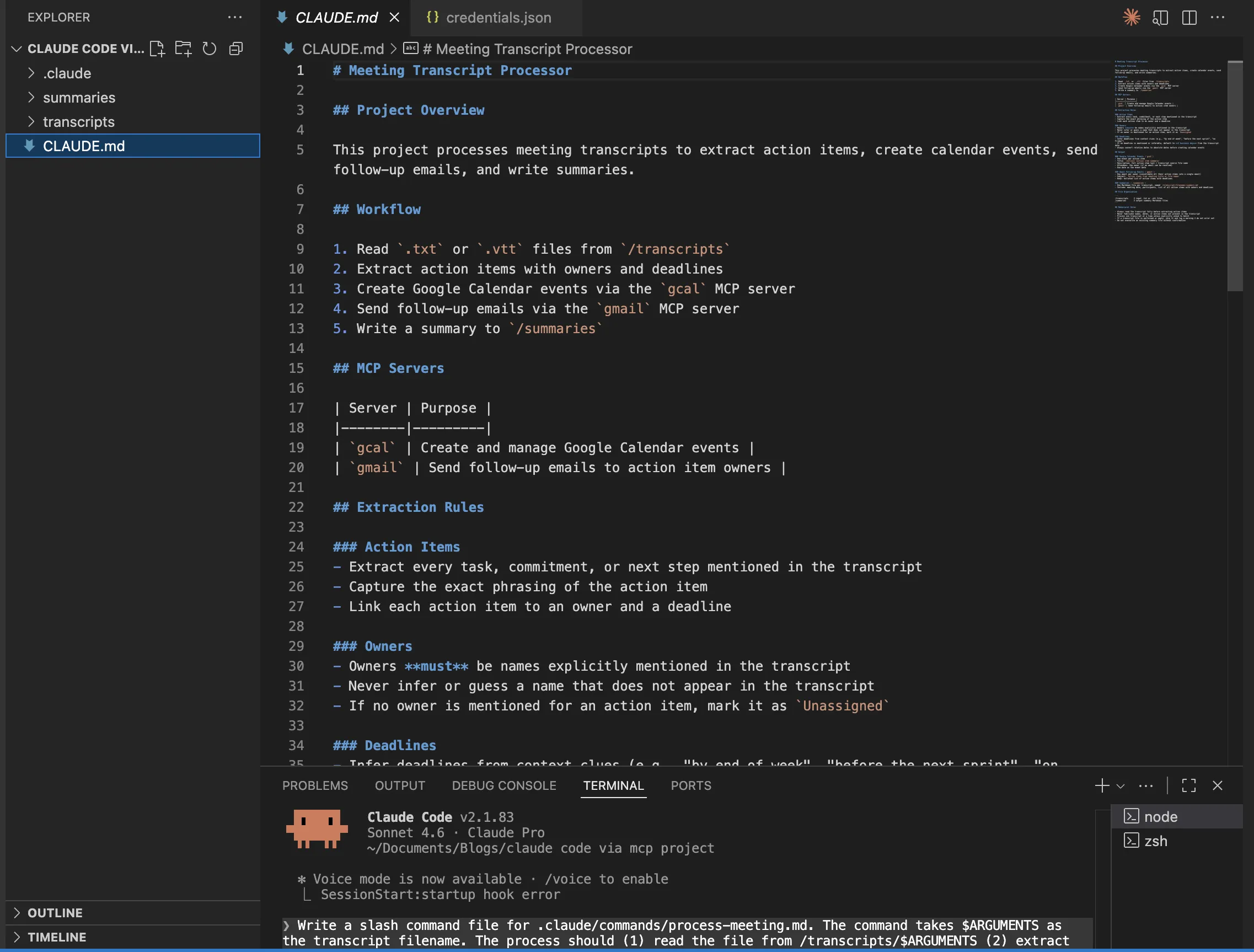
Now prompt the claude model to generate the CLAUDE.md file. Here’s the prompt you can use:
Create a CLAUDE.md file for this project. This project processes meeting transcripts. It reads .txt or .vtt files from the /transcripts folder, extracts action items with owners and deadlines, creates Google Calendar events via MCP, sends Gmail follow-up emails via MCP, and writes a summary to /summaries. The MCP servers are named ‘gcal’ and ‘gmail’. Always infer deadlines from context: default to 3 business days if none are mentioned. Owners must match names mentioned in the transcript.
Step 3: Link MCP Servers through Claude Code CLI
The system operates its main functions at this location. The built-in mcp command of Claude Code allows users to register MCP servers through terminal usage. The process requires execution of one single command for each server.
3a. Connect Google Workspace MCP (Calendar + Gmail)
The google_workspace_mcp server provides two services through its single server which combines Calendar and Gmail functions. The process starts with Google OAuth credential setup in Google Cloud Console before proceeding to server registration.
Step 1: Add the MCP server to Claude Code
claude mcp add --transport stdio google-workspace \
-- npx -y google-workspace-mcp \
--client-id YOUR_GOOGLE_CLIENT_ID \
--client-secret YOUR_GOOGLE_CLIENT_SECRET ]
Step 2: Verify it registered correctly
claude mcp listExpected output:
google-workspace stdio npx -y google-workspace-mcp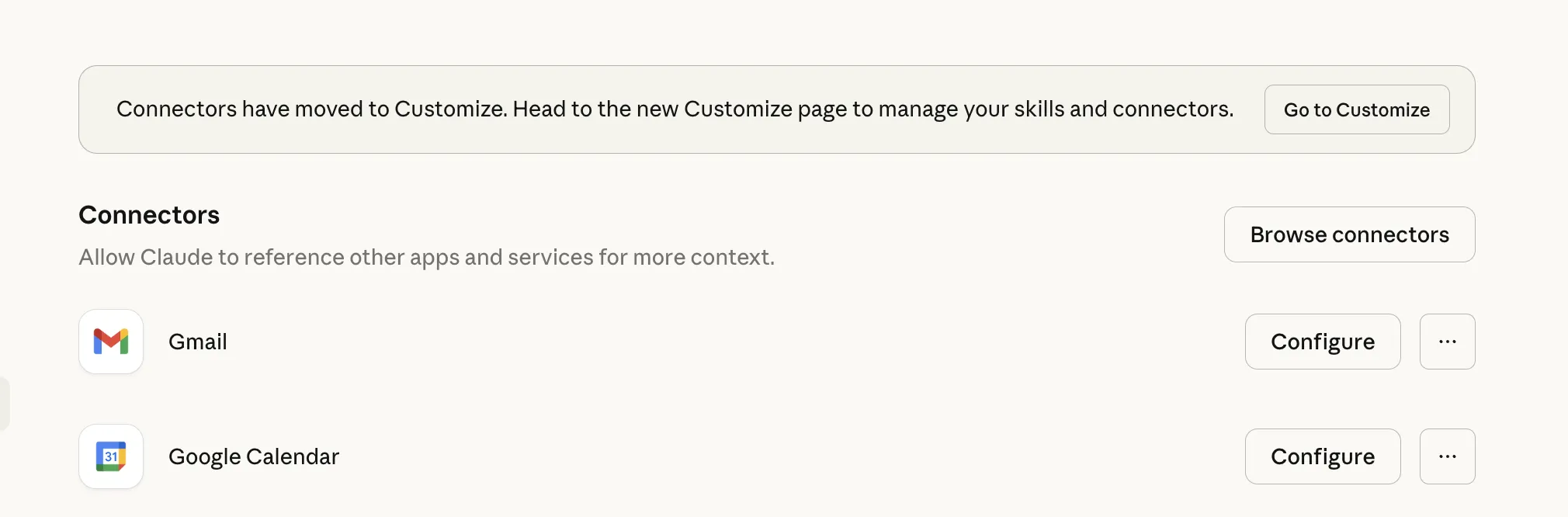
3b. Authenticate with Google
The first time you use the MCP server it requires you to authenticate with your Google account. Use the auth command inside the Claude Code session to activate authentication.
The authentication process of the server will start through Claude Code which requires users to open a web browser. The user needs to log in and provide the necessary permissions before the tokens get saved on their device. You only do this once.
3c. Verify Tools Are Available
Inside Claude Code, run the built-in /mcp command to see all loaded tools:
# Inside Claude Code session
/mcp

# You should see something like:
# google-workspace (connected)
#   create_calendar_event
#   update_calendar_event
#   send_email
#   create_draft
#   list_calendar_events
#   ... and more
Step 4: Create the /process-meeting Slash Command
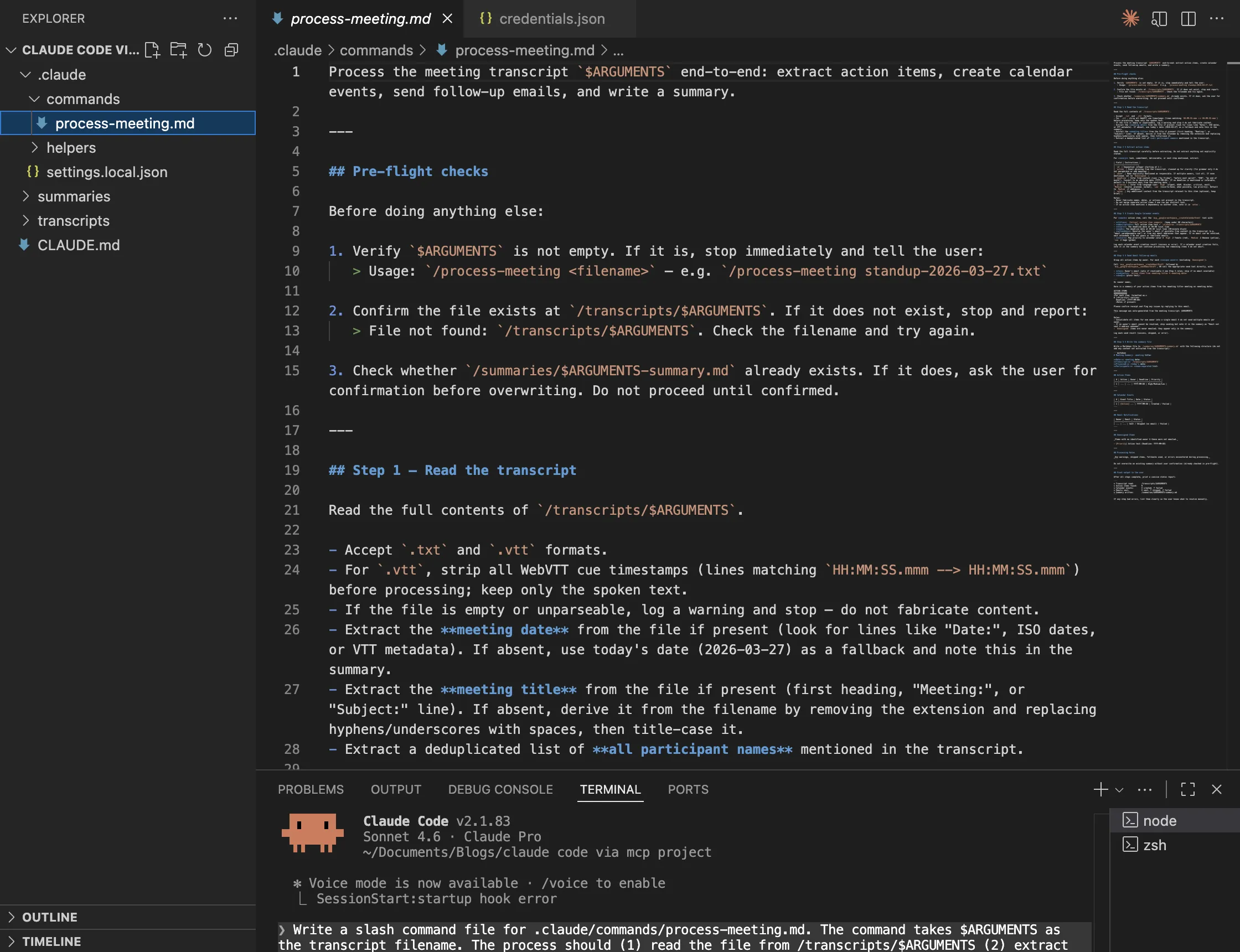
Slash commands in Claude Code are markdown files stored in .claude/commands/. The filename becomes the command name. The content is the prompt which Claude executes when you use it. You can use this method to convert a complex process which requires multiple steps into a single command.
# Create the slash command file
touch .claude/commands/process-meeting.md
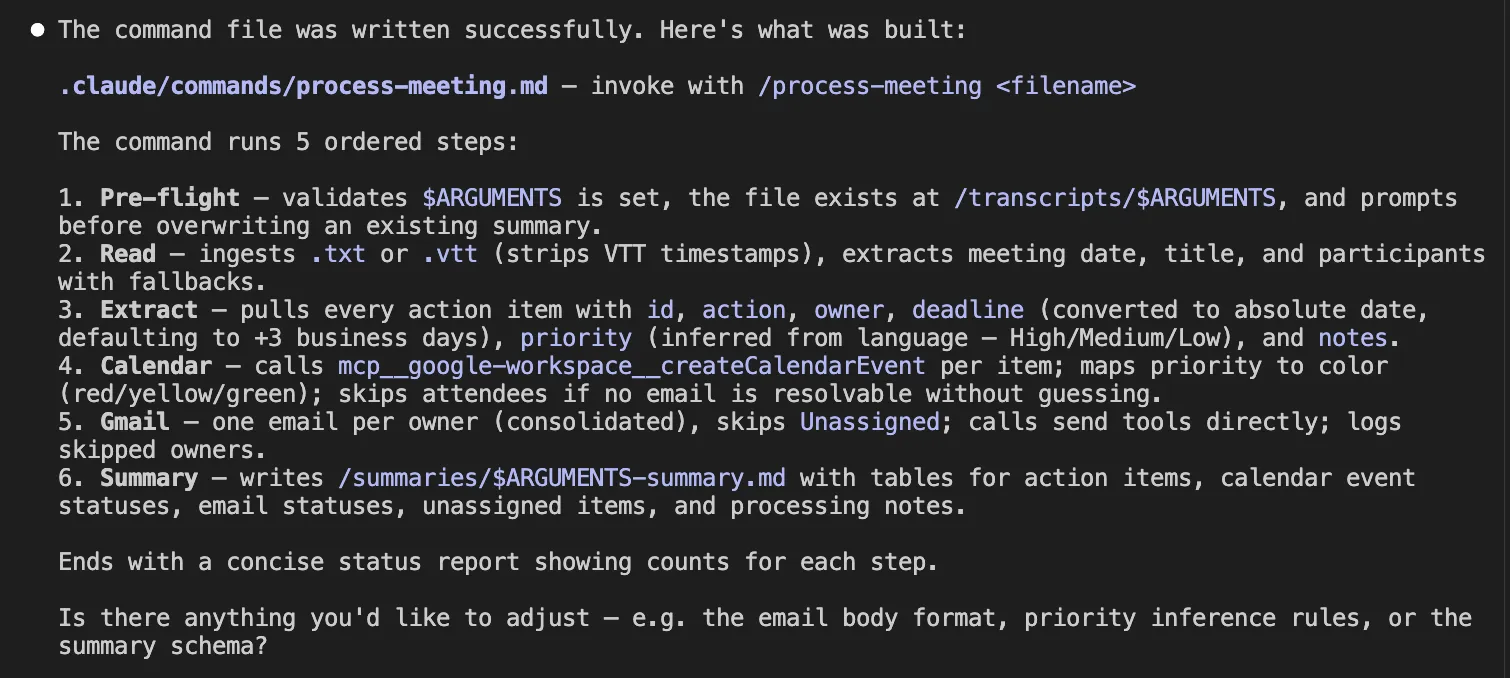
Now ask Claude Code to write the command for you, this is the right way to do it:
Write a slash command file for .claude/commands/process-meeting.md. The command takes $ARGUMENTS as the transcript filename. The process should
- read the file from /transcripts/$ARGUMENTS
- extract all action items with owner (task) deadline (and priority)
- create a Google Calendar event for each action item using the MCP server
- send a Gmail to each owner summarising their tasks
- write a clean summary markdown to /summaries. The detailed prompt needs to meet production standard requirements.
Step 5: Running the Agent
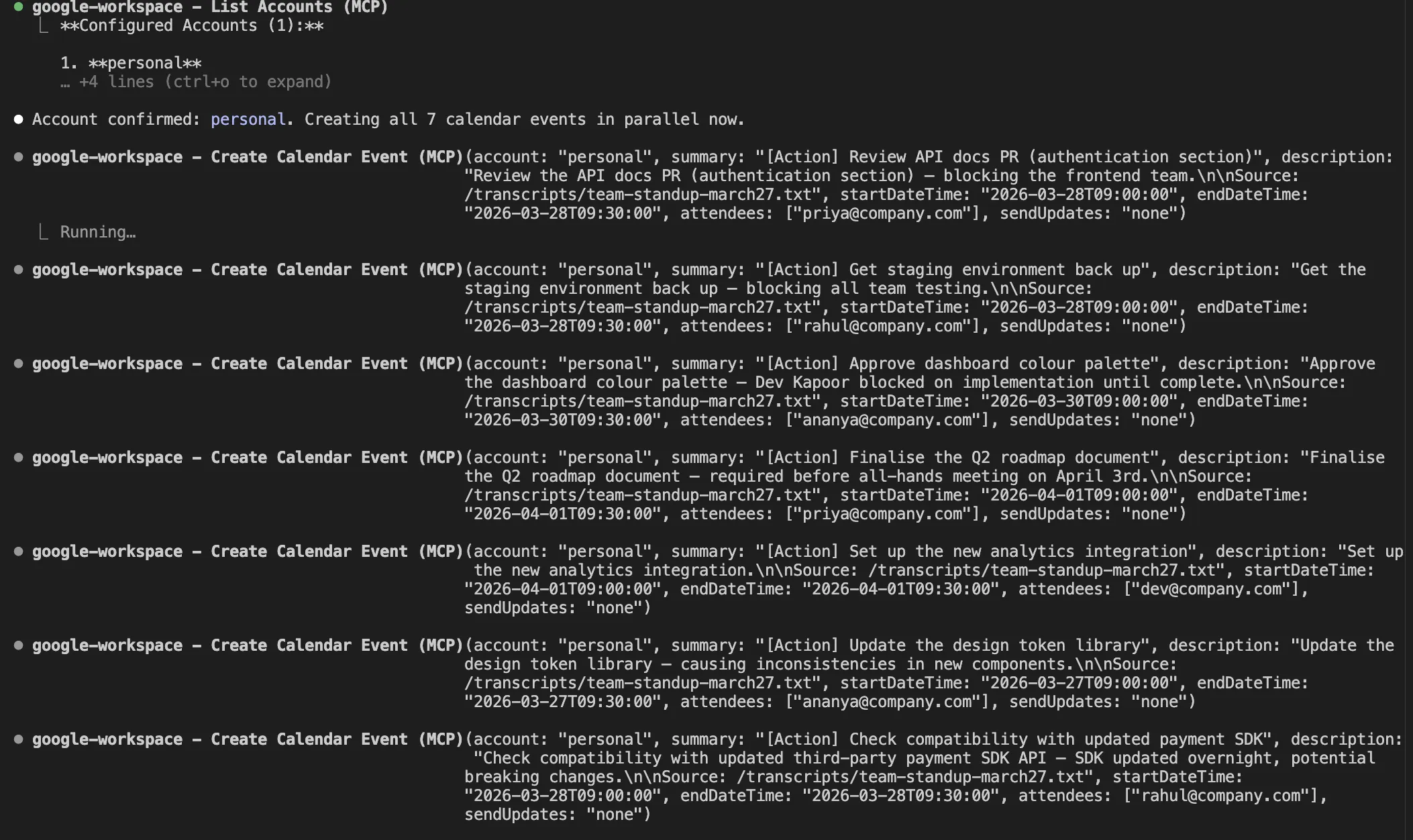
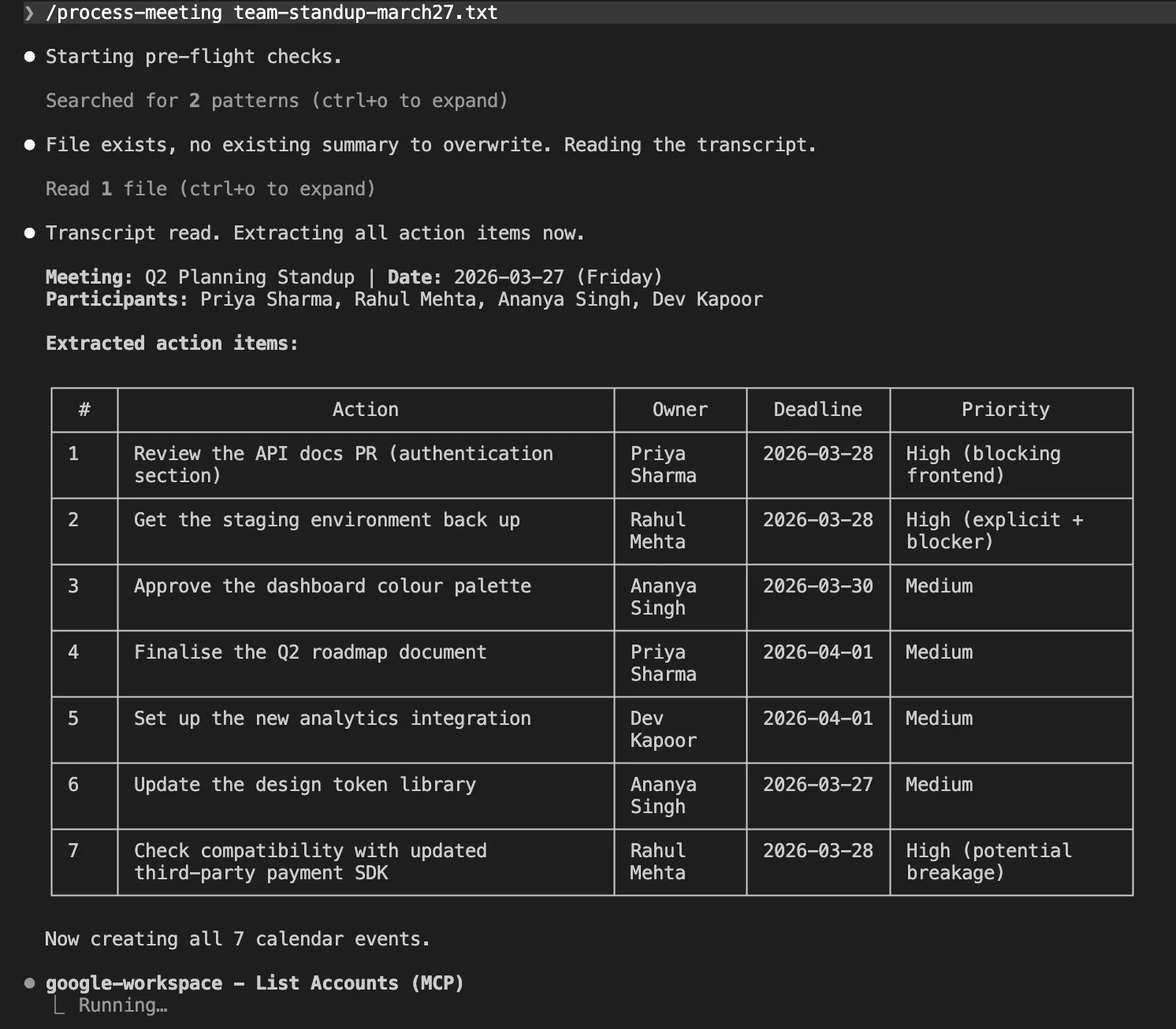
Drop a transcript sample into the /transcripts folder and fire the command. That is the entire user experience.
# Copy your transcript in
cp ~/Downloads/team-standup-march24.txt transcripts/

# Open Claude Code
claude

# Run the slash command
/process-meeting team-standup-march24.txt
Output:
Conclusion
What you built traditionally takes weeks: DB schema, pipelines, retries, OAuth, APIs. With Claude Code and MCP, it’s done in an afternoon using prompts and a couple CLI commands.
The model is simple: you’re the PM, Claude Code is the engineer, MCP servers are ready integrations. You define requirements via CLAUDE.md, slash commands, and prompts. Claude executes, handling real complexity and scaling with just new prompts.
Frequently Asked Questions
A. MCP is a standard interface that lets Claude connect to external tools like Gmail and Google Calendar without custom integrations.
A. It processes transcripts, extracts action items, stores them, creates calendar events, and sends follow-up emails automatically.
A. They turn multi-step workflows into a single command, automating tasks like summarizing meetings and triggering MCP tools.

Data Science Trainee at Analytics Vidhya
I am currently working as a Data Science Trainee at Analytics Vidhya, where I focus on building data-driven solutions and applying AI/ML techniques to solve real-world business problems. My work allows me to explore advanced analytics, machine learning, and AI applications that empower organizations to make smarter, evidence-based decisions.
With a strong foundation in computer science, software development, and data analytics, I am passionate about leveraging AI to create impactful, scalable solutions that bridge the gap between technology and business.
📩 You can also reach out to me at [email protected]
Login to continue reading and enjoy expert-curated content.

💸 Earn Instantly With This Task
No fees, no waiting — your earnings could be 1 click away.
Start Earning
